
Last week, we kicked off The Organize & Refine Your Home Challenge by conducting a bit of decluttering prep work.
How did that go?
We are building our home refinement foundation throughout the first month of The Challenge.This week’s focus is on planning tools and systems.
“When are we going to start sorting and purging our stuff?” you ask. In due time…I promise!
During my time as a professional organizer, I came to realize that the clutter in my clients’ homes was often a reflection of the clutter that they were struggling to sift through in their head (what we organizers call “mind clutter” or “mental clutter”).
Planning Tools & Systems
So one of the things we need to nail down before we begin digging into the “stuff clutter” is our system for managing the mental clutter.
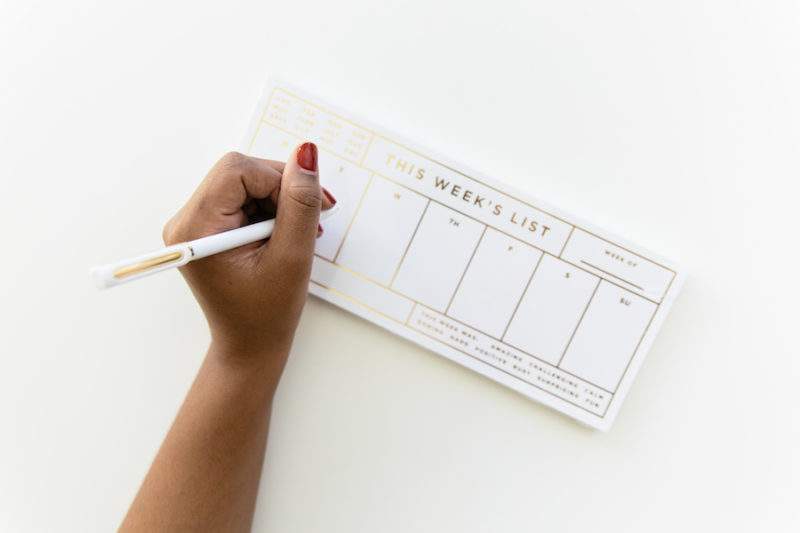
Our system will include three major planning tools:
- a calendar
- a task management tool
- a weekly planning appointment.
{If you’ve already got these tools in place and they’re working well for you, skip ahead to the weekly assignment and complete any outstanding tasks.}
Planning Tool #1: Calendar
In this day and age, trying to keep it all in your head is a recipe for disaster.
As I wrote about previously, this is one of the primary causes of mental clutter, yet it can be easily remedied by getting into the habit of using a calendar/planner for documenting every appointment and occasion that has a date/time associated with it.
Not only should you use your calendar for scheduling appointments with other people, I am a HUGE believer that you should schedule appointments with yourself as well!
Paper Calendar or Calendar App?
This always seems to be the question!
And the answer is simple. Use whatever you feel most comfortable with and what you are most likely to use consistently.
With that being said, I can’t help but share my love for Google Calendar. Here are the things I love about it:

First and foremost, I’m able to set up separate calendars (I’ve got one for each family member & my business). I use color-coding to identify each calendar and integrate them all into a single master calendar that can be shared with my husband (and my kids when they get older).
The calendar syncs to my phone and my iPad, which enables me to access and update it from my computer or any of my devices (a huge benefit when you’re on the go as much as I am).
Check out my schedule for this coming Saturday (1/16). See the all-day swim meet?
When I click on that event, Google calendar enables me to store all kinds of detailed information about the swim meet (warm-up time, location, and which session each of my kids will participate in).
I love the fact that I can embed all of the details about an event directly in the calendar.
Best of all, since my calendar lives on the cloud, I never have to worry about leaving it somewhere and losing the valuable information that lives within it!
Digital solutions generally work best for me, but if you gravitate towards paper solutions, no worries!
This post contains affiliate links for your shopping convenience (which means if you make a purchase after clicking a link I will earn a small commission, but it won’t cost you a penny more)! Click here to read my full disclosure policy.
There are some amazing paper calendars and more comprehensive paper planner systems on the market. If you don’t already have one that you love, check out some of these popular choices:
For some of you, a no-frills yearly calendar that you can pick up at the local office supply store will work just fine.
But if you’re the type of person who appreciates the “pretty” and might be more motivated to use a calendar/planner consistently if it appeals to your aesthetic sense, then go ahead and give yourself permission to splurge on your calendar.
Planning Tool #2: A Task Management Tool
So many of us waste precious brainpower attempting to remember all of the To Do’s that need to be completed in all areas of our life. Whether it’s “bring home milk” or “write a novel”, it’s critical to have some way of capturing our To Dos in order to free up our brains for more important functions.
A task management tool is anything you use to capture your To-Do list outside of your head. Once again, you’ll need to determine if you’re more comfortable with a digital solution or a paper solution.
Digital Task Management Tools
If you’re in the market for a digital task management tool, check out this summary of best digital planning tools and apps . I’ve tried several of the ones mentioned in that review, and you pretty much can’t go wrong with any of them.
The one I use is Trello.
Trello enables me to break down my master task list into various categories using boards.
Here’s a peek at my home-related To-Do list broken down by category:
Many of the digital task management apps enable you to prioritize tasks, assign due dates, and estimate the amount of time it will take to complete the task.
Like digital calendar apps, one of the huge advantages of a digital To-Do list is that you can access it and modify it across all of your devices on the go.
Paper Task Management Tools
For the paper folks, you can choose to capture your master To Do list on something as simple as a legal pad, or use one of the fancier planners mentioned above to serve as both your scheduling and task management tool.
There’s also an endless universe of cute (and free) To-Do List printables available online (you can grab my free To Do List printable here). Or spend a few minutes online to find one that has a layout that works with the way your brain naturally categorizes tasks.
Planning Tool #3: Your Planning Appointment
One habit that I strongly urge you to develop this year is to establish a weekly planning appointment (Sunday evening is a time that works well for this).
Schedule this appointment on your calendar and use the time to map out a blueprint for your week, which includes your appointments, and the tasks from your master to do list that need to get done. I also find it helpful to tackle meal planning for the week.
Organize & Refine Your Home Challenge: This Week’s Assignment:
- Select a paper planner or calendar app for housing your master calendar
- Select a task management tool (paper or app) for keeping your master To Do list
- Conduct a “brain dump” session and create your master To Do list (divide tasks into categories)
- Set up your calendar for the year (enter appointments, events, birthdays and recurring tasks)
- Set up a recurring weekly planning appointment in your calendar
Once you’ve completed your assignment, it’s time to tackle the other three foundations of an organized home, if you haven’t done so already:
- Complete your decluttering prep work
- Create your household command center
- Create your household drop zone
Oh, and be sure to share your planning tools on Instagram and tag me @refined_rooms (use the hashtag #ORGANIZEANDREFINECHALLENGE).
Let’s inspire and support one another!
This post is part of the Organize and Refine Your Home Challenge
I just stumbled upon your advice here.
This is probably the most helpful advice I’ve read for a while on organizing my house.
I look forward to putting your plan into action.
I’m a novice when it come to the tech stuff but I can’t deny the simplicity, convenience and time it saves so I’ll have to try to come into the tech world.
Thank you.
I’m a paper calendar person, but nothing works with the family like Google Calendar.
I couldn’t agree more Kristy! Thanks for weighing in!
I use Outlook calendar and have a paper copy to keep track of other tasks that don’t have an appointment. Making sure the calendar is backed up online is so important. You don’t want to have to recreate the calendar if something happens. Thanks for sharing.
I could not agree more Sabrina! The thought of losing a paper planner would scare the bejeesus out of me!
I use Outlook for my calendar, synchronized with my iPhone and iPad. For my tasks, I use Swift To Do List. I love the way it works but unfortunately I can’t get it to sync with my other devices.
Hmmm Swift To Do List. That’s a new one to me…I’ll have to go check it out!
Love that you are sharing both a planner and a list too. They work hand in hand.
As a paper planner gal, I do a little sync between paper and digital. It works for me in that it gives me reminders. I really love my paper planner and will never give it up. For sure. Ever. Really.
LOL! Don’t worry Ellen, I’d never suggest that you give up a system that works. To each his own 🙂 (a little secret, I actually use a weekly printable with info gleaned from my digital calendar and task management tool…GASP!)
Very nice overview of the options, Natalie!
Thanks Seana. Are you a paper or electronic calendar/planner Gal?
This is the planner I LOVE: I use the daily but there is a weekly edition too!
The Desire Map Planner – Daily Edition 2016 (Limited Edition)
http://www.daniellelaporte.com/shop/desiremap-2016-daily-planner-limited/?dlap=481
I’ve never heard of this one Lara. I’d love to hear about what makes this one unique! Thanks for sharing…
Natalie, thank you for continuing to share your talent! Please keep your awesome advice where I can find it, because I am weeks behind you! 🙂 I just purchased my lovely new iMac computer, and have begun your plan for organizing and preserving my digital photos. I read your photo posts faithfully as you published them, but had to wait and begin with a new “hub.” So here I go, following your plan. Thanks sooo much! Couldn’t do it without you. 🙂
I’m so excited for you Karen…most of us wish we could start out with a beautiful new hub for our digital photos! Please keep me posted on your progress through the DPO Challenge and thanks SO MUCH for the kind words 🙂